Stewards make companies
Stewards are responsible for creating a company and adding users. Let's walk through the process.
Step 0: Navigate to the Companies Tab
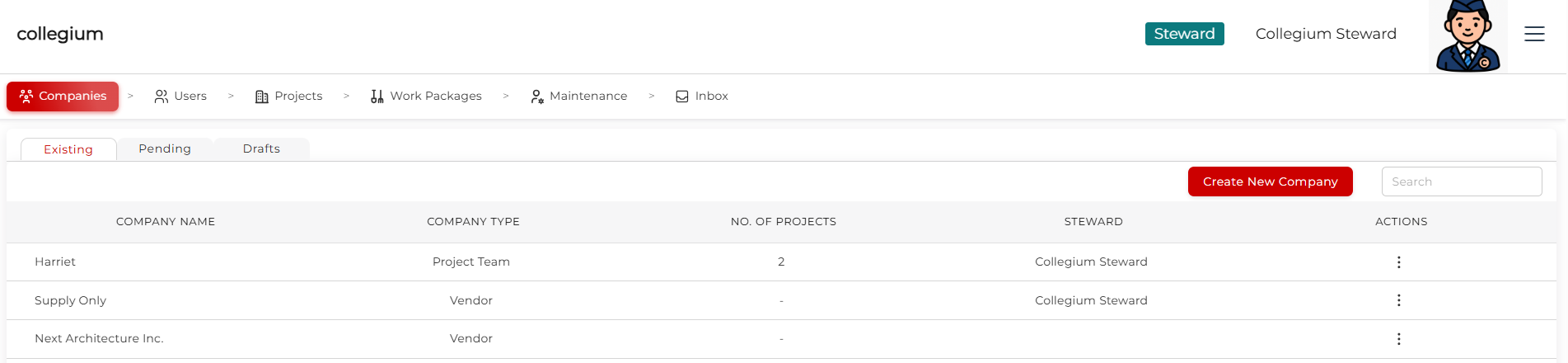
When logged in as Steward, click on Companies and observe all the companies on the platform. Click on the Create New Company button to open the Company Wizzard.
Step 1: Corporation Details
On the Corporation Details page, there are several basic details to fill in. Required fields are highlighted in red.
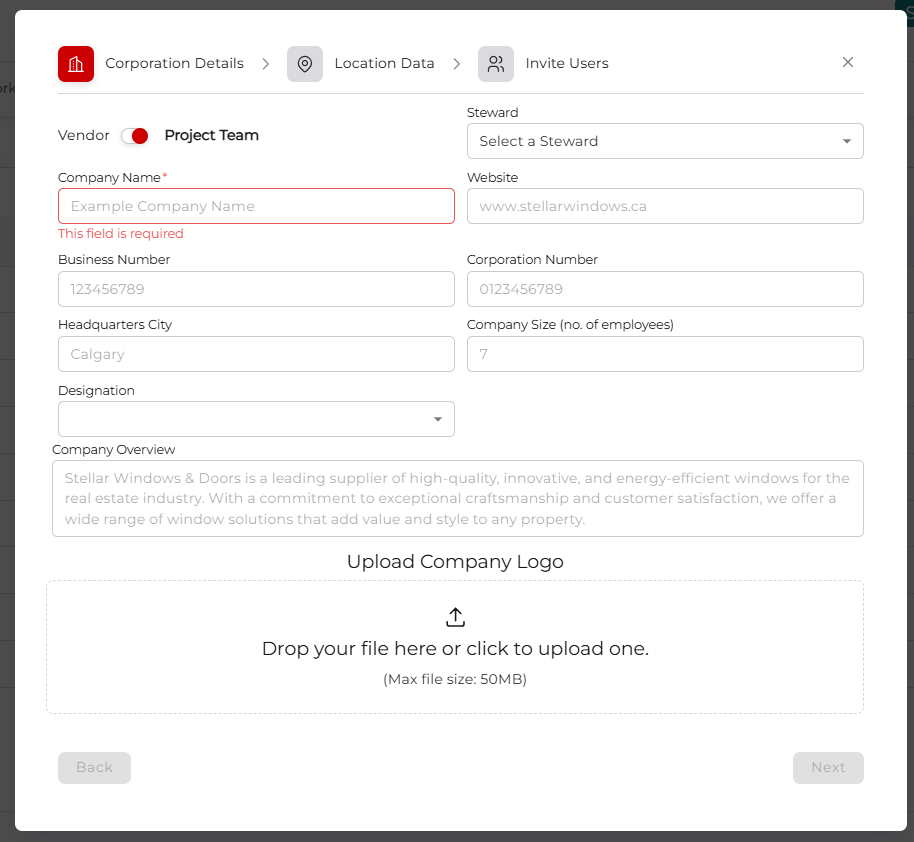
- Vendor or Project Team: What kind of company are we setting up? Vendor companies can only access work packages that have been put out to tender. Project Team companies own projects, and interact with project models to make work packages for tender. They also access other project management tools (see Making a project).
- Steward: Who will be primarily responsible for the behind-the-scenes work on this project? Select a steward from the dropdown.
- Company Name: What is the company known as legally?
- Website: What's the website for this company?
- Business Number: Any Alberta company has a business number. We check this behind the scenes when processing invoices.
- Corporation Number: Similar to above.
- Headquarters City: Where is the entity based?
- Company Size: Roughly how many employees does this company have?
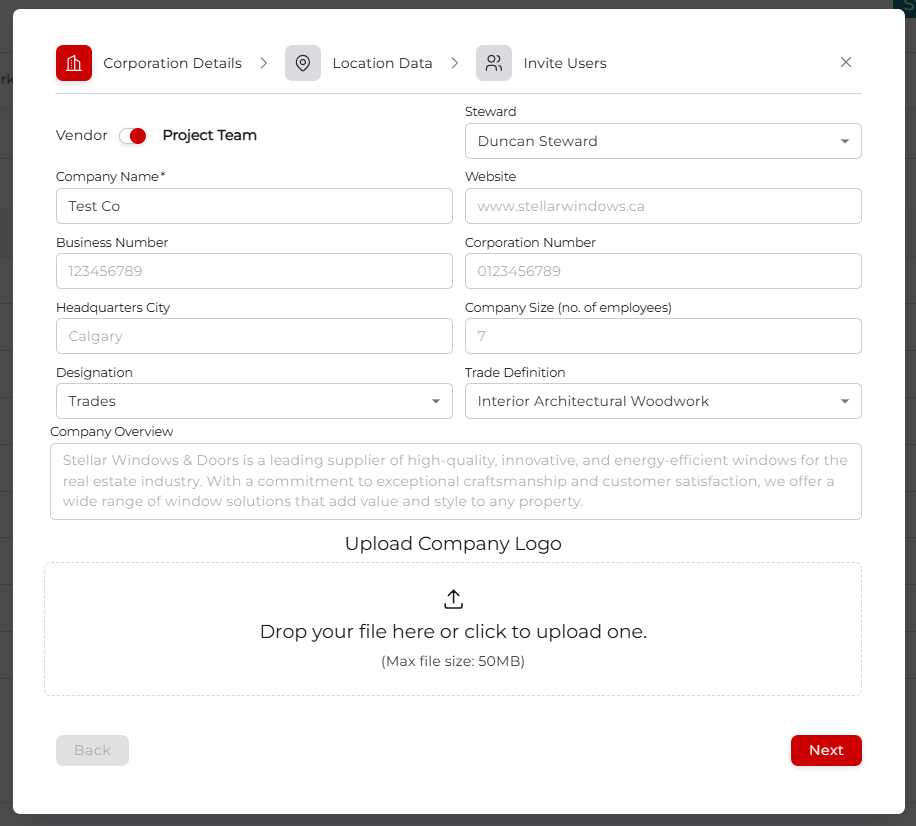
- Designation: What kind of company is this? If you select Trades or Supplier you get another dropdown:
- Trade Definition: Select the kind of work the company does.
- Company Overview: Short description of the company, how it operates, and what it wants to do.
- Upload Company Logo: You can either drag the image directly on, or click the upload icon and navigate to the image. Then click Confirm Upload to finalise.
Fill it out to the best of your knowledge, and click next.
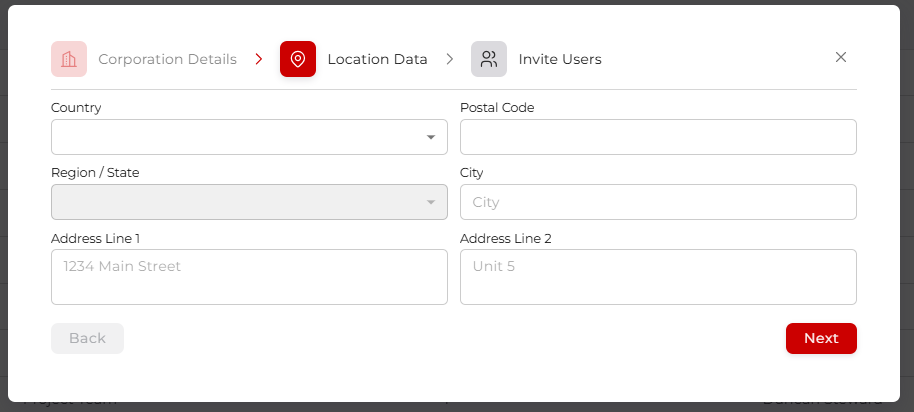
Step 2: Location Data
Fill out the company address.
Step 3: Invite Users
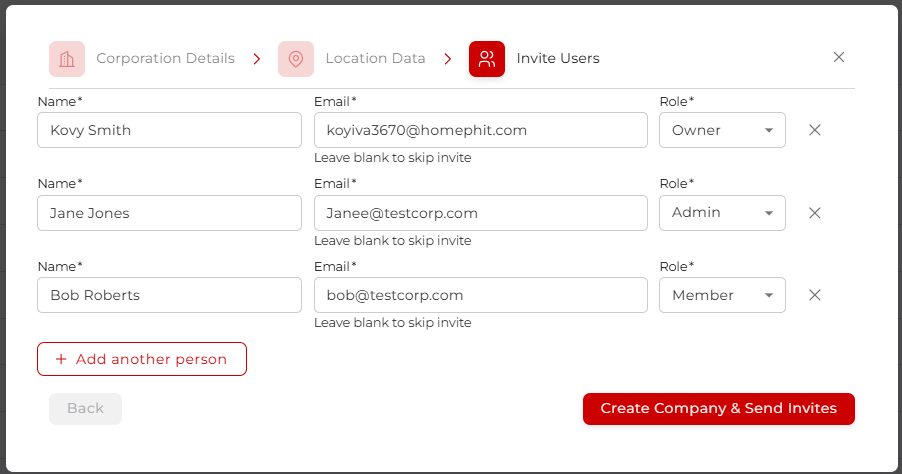
Here you can invite users to the new company. There are three role types, Owner, Admin, and Member, each with varying access levels. Add the name, email, and role, and click Create Company & Send Invites, and the platform will send everyone an onboarding email. Once they follow the instructions within that email, they will have access to the new company on the platform.